

MSDS-Europe – The real alternative of the SDS software
Our company does not prepare its data sheets with special SDS software. Our professional belief is that only a qualified company with good knowledge of the legal environment of chemical safety and with the expertise in the application of regulatory specifications can provide a quality service for the creation and translation of safety data sheets. The translation of a safety data sheet is primarily an expert task and not a translator task.

Quick search
Chemical safety begins here – relevant services and useful background material in just one click!
MSDS-Europe
MSDS-Europe is the international chemical safety branch of Toxinfo Kft.
ToxInfo Kft. is the first service and consultancy firm in Hungary which is specialized in chemical safety. Thanks to our professional experience of the last 17 years, we acquired a unique knowledge on the field of the EU legislation and rules of chemical safety, which we can apply even on international level.
Our quality policy
The core value of our company is innovative thinking, customer orientation and the pursuit of effective problem solving.
Our quality policy is based on human expertise, continuous training and professional experience.
Our company is committed to provide services in the field of chemical safety which maximally suits the needs of our Clients and to ensure the possible highest quality services.
International references of MSDS-Europe

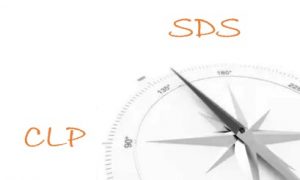
Compass to chemical safety
About chemical safety in a comprehensible way
Professional articles, useful background information and analyses on chemical safety. Interested people can read contents about chemical safety regulations that help to understand their obligations and how to prepare for them.
Latest articles
- F.A.Q – Frequently asked questions and answers in chemical safety
- The 9 most important things about distributing chemical products
- Storage rules for chemicals in households

Regulatory change observer
The regulatory change observer provides up-to-date information on the changes of the European Union legislation on chemical safety.
New and modified regulations of chemical safety
- COMMISSION DELEGATED REGULATION (EU) 2024/197 of 19 October 2023 amending Regulation (EC) No 1272/2008 as regards the harmonised classification and labelling of certain substances
Regulatory changes in chemical safety

SDS control and quality certification
Continuous legal compliance. Always up- to-date Safety Data Sheet.
The Safety Data Sheet is an essential source of information for the members of the supply chain, but only if it complies with the current chemical safety regulations not only at the time of its issue, but also at the time of use.
During our project supported and implemented by the NRDI Fund, our company has developed a new method and a related service platform that allows us to identify those Safety Data Sheets from between a group of SDS files of any size that are affected by a given legislative change.
Quality certification – quality communication and real-time information on the validity of the SDS
We place (on request) a quality certification mark including a QR code on the Safety Data Sheets that are involved in our SDS Control Service. This clearly communicates to the market participants that the SDS is under a continuous quality control.
By scanning the QR code, any member of the supply chain can get real-time information on our control site about the current status of the Safety Data Sheet.
MSDS-Europe – The safety data sheet specialist
Services related to the creation of safety data sheets
In the compilation of our portfolio related to safety data sheet services, we attempted to be exhaustive and sought to ensure to provide a relevant service to our Clients to solve all of their tasks.
We recommend our safety data sheet creation service primarily to downstream users producing mixures, or importers, to help them fulfill their obligation to classify their products and/or to issue safety data sheet for them.
Our SDS translation service is recommended for international distributors. We translate safety data sheets from and into all the official languages of the European Union. For the distribution of chemical products, we can also create a label draft in accordance with the safety data sheet and translate it into the language of the destination country.
We recommend our safety data sheet updating/revision service in all cases when there was a change in the content of the safety data sheet or if a change in the legal environment makes it necessary.
Quality assurance in the safety data sheet creation process
With its professional experience of nearly 20 years and because of the several process-oriented innovations, our company has successfully developed some high-end processes that ensure high quality safety data sheet translations and creations.
Our aim is to provide a safety data sheet to our clients which complies with all the relevant regulations. The secret of the perfect safety data sheet is in the high level of up-to-date expertise, in the experience in the creation of the safety data sheets and in the control mechanisms used during the workflows.
You can find more information about the process of the creation of a safety data sheet in our Working process of the creation, translation of a safety data sheet article.
Guarantee
We take full professional and financial responsibility for the safety data sheets created by our company and for all of our other services. Our financial warranty includes the reimbursement of the direct and indirect damages as well.
Remarks that may arise from different authorities and pleas indicated by our Clients are being investigated within 24 hours.
Quote request for safety data sheet related services
We will reply within 24 hours to the quote requests sent via e-mail or using the quote request for safety data sheet servicesmenu on our website.
If you need assisstance in choosing the right service, please contact our customer service.
During our safety data sheet services we handle customer relationship with priority
Our customer service put great emphasis on providing information in the appropriate speed and quality.
We provide a personal key account manager for our clients for the smooth process of the order.
The customer interaction does not end with the delivery of the ordered service. Our customer service is available for you even after the creation of the safety data sheet. We also provide assistance to our clients in answering professional or other questions.
Cosmetics
Services related to placing cosmetic products on the market
Cosmetic products are excluded from the scope of chemical safety legislation, yet our expertise and professional experience enables us to provide relevant and quality services to our customers in this field as well.
We offer relevant services to our clients for all the tasks of the responsible person or the distributor, related to the manufacturing and distribution of cosmetics.
Our services cosmetics cover the CPNP notification required for making a product available on the market, the compilation of the safety assessment, and the creation and translation of the label draft of the cosmetic product.
Useful information, professional articles for chemical safety
Our company’s mission to provide information on chemical safety requirements.
The safety data sheet knowledge base contains such useful background materials that can help you understand your safety data sheet related tasks, or for example, fulfill the new CLP labelling obligation.
The collection of professional background material for understanding the specific requirements of the REACH Regulation can be found in the REACH knowledge base.
In the cosmetic products knowledge base we mainly collected the obligations of the distributor or the company acting as the responsible person in accordance with the relevant regulations regarding cosmetic products.
Copyright-protected website
The using, copying, distributing, spreading or forwarding of any text, images, company image and content elements (such as fonts, buttons, links, icons, texts, images, graphics, logos, etc.) placed on the website, whether in whole or in part, is only allowed with the prior written consent of ToxInfo Kft.